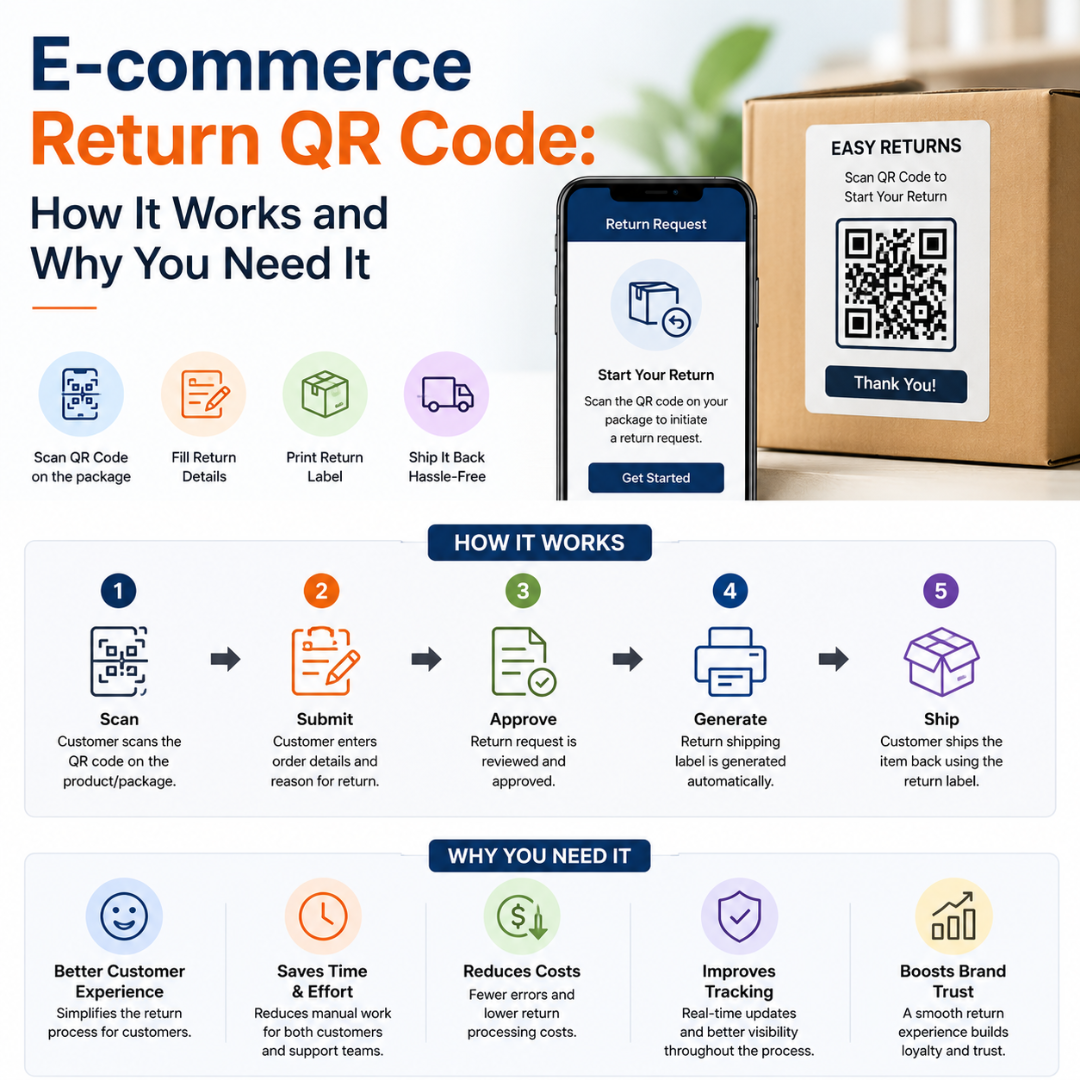
In 2024, U.S. customers returned $890 billion worth of merchandise. That's an enormous number — and a massive operational headache for online retailers. The biggest pain isn't the return itself. It's the confusion around it—the missing label, the buried instructions, and the flood of support tickets asking how to even start the process. An ecommerce return QR code solves all of that with a single scan.
Why E-commerce Return Workflows Break Down
Most online retailers run into the same problems again and again. Understanding these pain points is the first step to fixing them.
Customers Can't Print Return Labels
Many return workflows still require customers to download and print a label. But a significant share of households no longer own a printer. These customers either delay the return, hunt for a print shop, or contact your support team. That's a problem you can prevent before it starts.
Manual Return Authorization Creates Bottlenecks
Without a digital return process, packages arrive with almost no context. Your team has to manually identify items, match them to orders, confirm return reasons, and then process them. That task looks simple until you're doing it 30 times on a Monday morning.
Return Instructions Are Impossible to Find
Return instructions are usually buried in a confirmation email from two weeks ago, or printed on a packing slip that's already in the bin. When customers can't find instructions, they don't return items correctly — or they contact support. Either way, it costs you.
How an Ecommerce Return QR Code Works
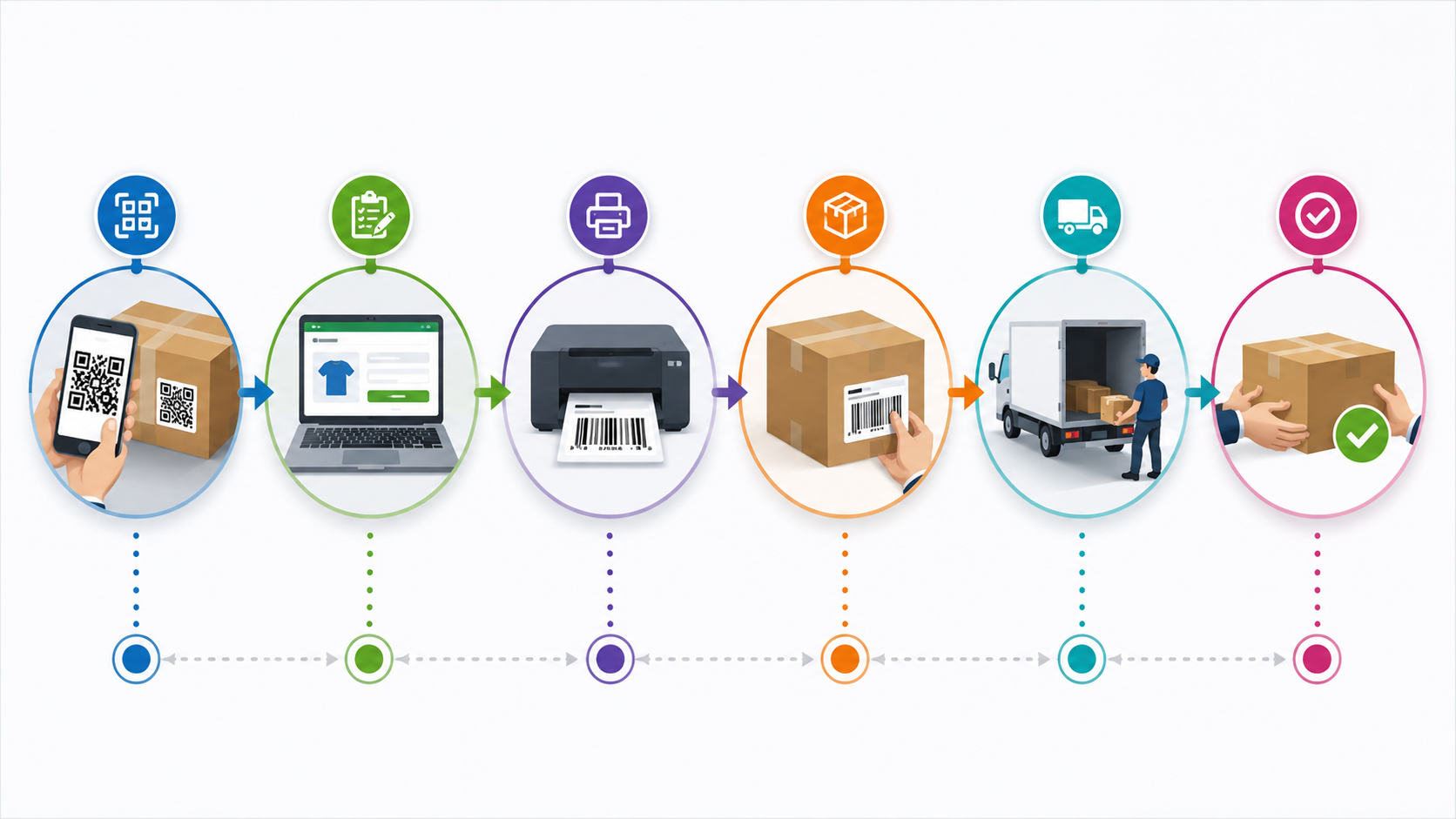
There are two main ways brands use QR codes in the return process:
• Carrier-generated QR codes — Platforms like UPS, FedEx, and USPS Label Broker generate a QR code after a return is initiated. The customer shows the code at a drop-off location, and staff print the label on the spot. No printer required.
• Brand-generated QR codes — You create your own QR code and place it on packaging inserts, packing slips, or return confirmation emails. These codes link customers directly to your return portal, return request form, or refund tracking page.
Where to Use Ecommerce Return QR Codes
Placement | What It Does | Best For |
Packing slip | Links to return portal or instructions | All ecommerce brands |
Inside the shipping box | Triggers return request before the customer even looks for instructions | Brands with high return rates |
Return confirmation email | Provides label or status update link | Streamlining post-purchase flow |
Product packaging | Connects to exchange options or support | Fashion, electronics, beauty |
Brand website / account page | Links to full return history | Subscription-based brands |
How to Create a Return QR Code: Step-by-Step
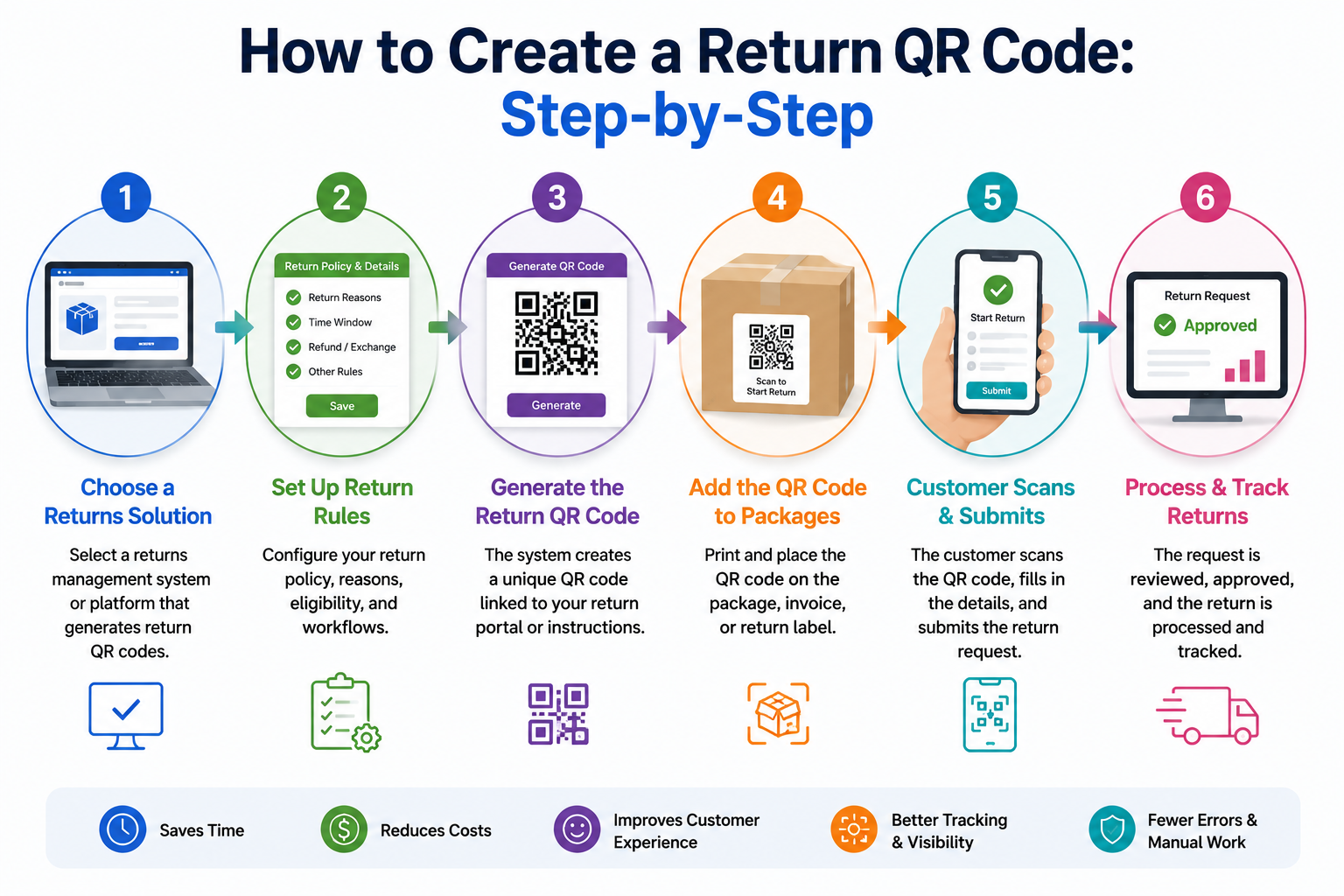
Step 1: Define What the QR Code Should Do
Decide on the goal before creating anything. Common options include linking to a return request form, sharing PDF return instructions, or triggering a pre-filled email to your support inbox.
Step 2: Choose the Right QR Code Type
Select a URL QR code for most cases — it links directly to your return portal or tracking page. A PDF QR code works if you want customers to download a detailed return guide. An Email QR code is useful if you handle returns manually.
Step 3: Always Use Dynamic QR Codes
A static QR code permanently locks the destination. If your portal URL changes or you switch platforms, every packing slip becomes a dead end. Dynamic QR codes let you update the destination at any time without reprinting.
Step 4: Customize and Brand the Code
A branded return QR code looks intentional and builds trust. Add your brand colors and logo. Download as PNG for digital use or SVG for print materials.
Step 5: Place It With a Clear Call-to-Action
A QR code without context gets ignored. Include a short CTA next to the code: 'Scan to start your return,' 'Scan for return instructions,' or 'Scan to get your return label.'
Benefits of Using Return QR Codes in Ecommerce
• Fewer support tickets — customers can self-serve without emailing your team.
• Faster refund processing — each scan ties to a specific return request, so intake is accurate.
• Lower printing costs — labels are printed only when a return actually happens.
• Better sustainability — eliminates pre-printed labels that often go unused.
• Improved customer satisfaction — a frictionless return builds loyalty and repeat purchases.
Best Practices for Ecommerce Return QR Codes
• Size the code for the surface — minimum 1 x 1 inch on packing slips.
• Place it inside the box, not on the outside, where it might get damaged in transit.
• Link to a mobile-first return page — customers scan on their phones.
• Test on both iOS and Android before printing at scale.
• Audit your QR code destinations regularly, especially after platform changes.
Common Mistakes to Avoid
• Using static codes on printed packaging — if your URL changes, the code breaks.
• Linking to a desktop-only returns page — mobile users will abandon.
• Forgetting to communicate expiry windows — some carrier QR codes expire after 14 days.
• Placing the code where it might get wet or torn during transit.
Conclusion
An e-commerce return QR code is one of the highest-leverage changes you can make as an online seller. It removes friction for customers, reduces manual work for your team, and speeds up refunds — all without custom development or extra headcount. Start with your packaging inserts, use a dynamic code, and measure the impact in reduced support tickets over the next 30 days.
Ready to simplify your return process? Create your first return QR code today and see the difference one scan can make.