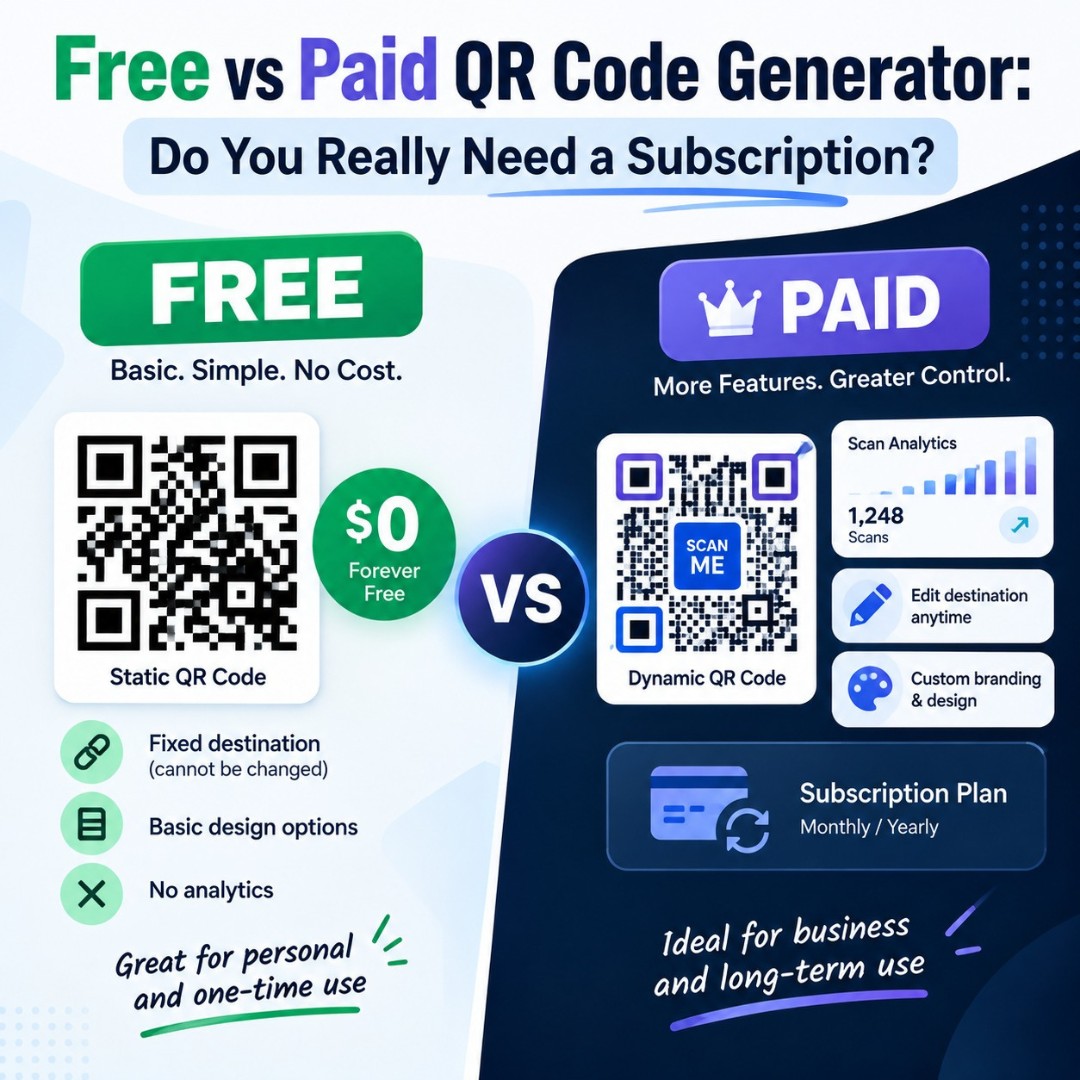
A salon owner searches "free QR code generator," clicks the first result, and makes a code for her booking page. Ten days later she gets an email asking for $15 a month. The word "free" was on the button. It just didn't mean what she thought it meant.
This confusion is everywhere. So let's clear it up.
In this free vs paid QR code generator guide, you'll learn what "free" really means on these sites, what paid plans actually add, and a simple test to decide whether you need to pay anything at all.
Do You Need to Pay for a QR Code?
In most cases, no. A QR code itself is not owned by anyone, and the technology is free to use. You only need to pay if you want extra features like editing the link after printing, tracking scans, or managing many codes with a team. For a simple link, WiFi, or contact QR code, a free static code is enough.
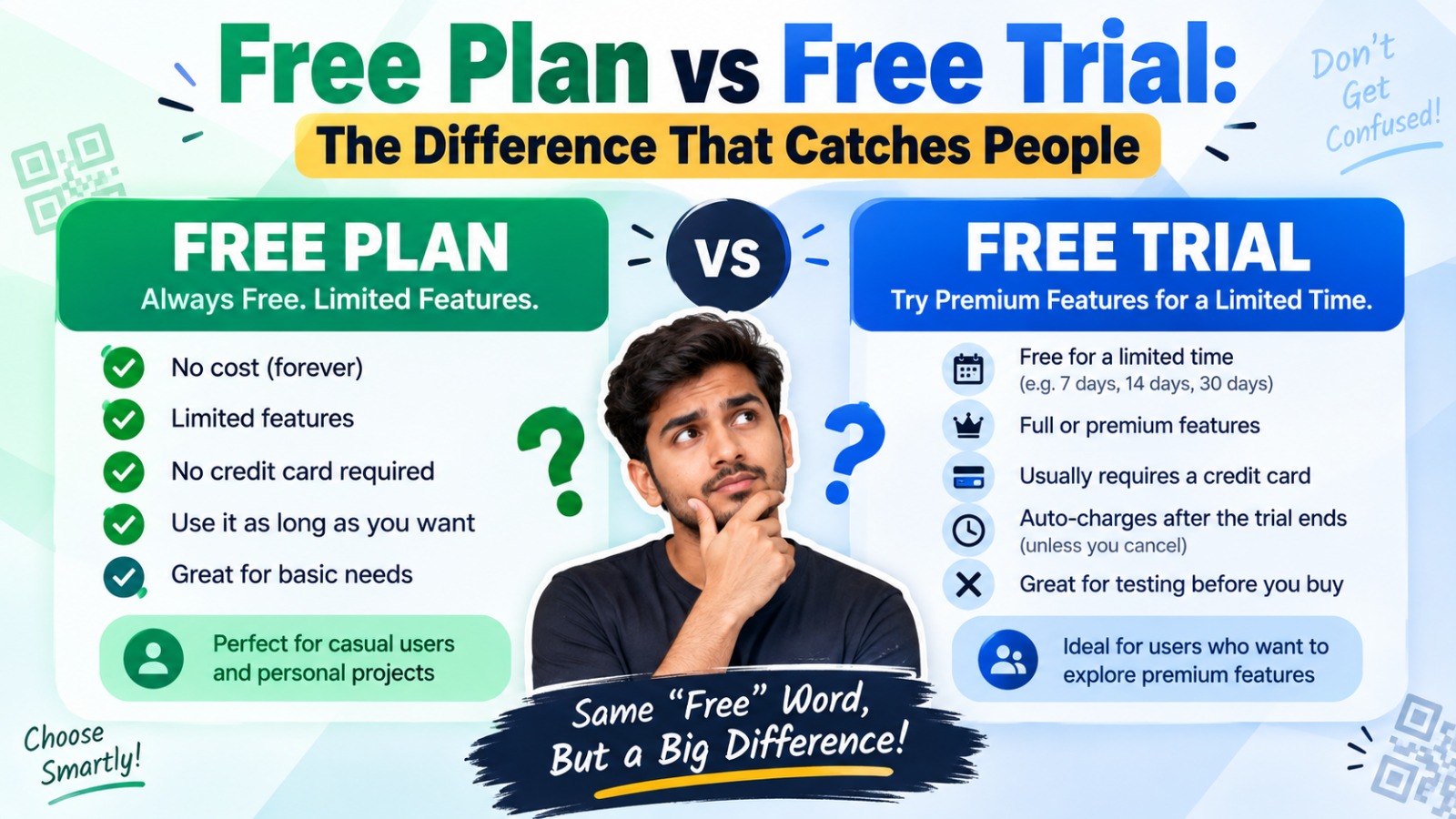
Free Plan vs Free Trial: The Difference That Catches People
These two sound the same. They are not.
A free plan stays free with no end date. You can keep using it as long as you like, usually with some limits.
A free trial is a paid product you can test for a short time, often 7 or 14 days. When it ends, you pay or you lose features. And here is the painful bit. If you made dynamic QR codes during the trial, they can stop working when it ends, even after you've printed them.
So before you create anything, look for one detail on the pricing page: does it say "free plan" or "free trial"?
What Free QR Code Generators Usually Include
A good free QR code generator gives you static QR codes that never expire, since the data sits inside the code itself. You should also expect common types like URL, text, WiFi, and contact cards, plus basic design options.
The better free tools go further. GenerateQRCod, for example, lets you add your logo, set custom colors, and download both PNG and SVG, with no sign-up and no watermark. It doesn't store your QR content on its servers either.
What free tools usually don't include is tracking and editing. Those need a server running in the background, and servers cost money.
What Paid QR Code Plans Add
Paid plans are built around dynamic QR codes. A dynamic code points to a short link owned by the provider, which then redirects to your page. That setup unlocks a few things:
Feature | Free Static QR Code | Paid Dynamic QR Code |
Cost | Free | Monthly or yearly fee |
Expires | Never | Can stop if you cancel |
Edit link after printing | No | Yes |
Scan tracking | No | Yes |
Bulk creation | Rarely | Usually |
Team access | No | Usually |
Best for | Fixed info and simple print | Campaigns and changing links |
If you want to understand the edit feature better, our guide on how to redirect a QR code explains it step by step.
Hidden Costs to Watch For
Some costs aren't obvious until later. The most common one is the expired dynamic code, where printed menus or labels suddenly lead nowhere. Then there are scan caps on "free" dynamic plans, where the code stops working after a set number of scans. Some tools add their own branding, or a popup ad, before the visitor reaches your page.
Annual billing is another one. A plan that looks like $5 a month may require you to pay for the full year upfront.
None of these are scams, exactly. They're just details people miss while in a hurry.
A Simple Test: Do You Need a Paid QR Code Generator?
Ask yourself three questions.
Will the information behind the code change? If you're linking to your homepage, Google review page, WiFi, or a vCard, it probably won't. Free static works.
Do you need scan numbers? If you have to report campaign results to a boss or client, paid dynamic codes help.
Are you printing thousands of codes, or sharing an account with a team? Then bulk tools and team seats may be worth the fee.
If you answered no to all three, you don't need to pay. Really.
A Smart Middle Path for Small Businesses
Here's something many people don't know. You can get some flexibility from a free static QR code without paying for a dynamic one.
Point your QR code at a page you control, like yourwebsite.com/menu. When the menu changes, update that page. The printed code keeps working because the address stays the same. You can even set a redirect on your own website if the page moves later.
It's not a full replacement for scan tracking. But for a restaurant, salon, or local shop, it covers most real needs at zero cost.
When Paying Makes Sense
Paid plans are worth it for marketing teams running print ads, packaging, or billboards where the landing page changes every few weeks. They make sense for agencies reporting results to clients, and for businesses printing unique codes on thousands of products.
In those cases, the subscription saves reprinting costs and gives real data. That's money well spent. If you want a real side-by-side, read our GenerateQRCod vs QR.io comparison.
Final Thoughts
The free vs paid QR code generator question has a simple answer for most people. If your information stays the same, free is enough. If you need tracking and editing, pay for it, but read the trial terms first. Start with a free QR code with logo on GenerateQRCod, and only upgrade to a paid tool when your needs actually grow.