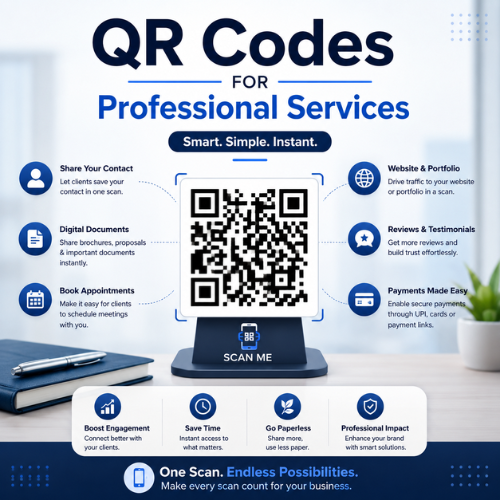
Think about the last time you handed someone your business card at a networking event. Did they call you? Did they visit your website? Probably not. Most business cards end up forgotten in a drawer — or worse, in the trash.
Now imagine this: you hand them a card with a QR code. They scan it instantly with their phone. Your booking page opens. They schedule a meeting with you right there, in 30 seconds. That is the power of QR codes for professional services.
QR codes are no longer just for restaurant menus or product packaging. Today, lawyers, consultants, accountants, architects, financial advisors, and HR firms all use QR codes to win more clients, work smarter, and leave a stronger impression.
Why Professional Services Firms Need QR Codes Right Now
Professional services firms grow on trust, relationships, and reputation. But trust has to start somewhere — and in 2025, that first touchpoint is often digital.
The problem is that most firms still have a gap between their offline world (business cards, brochures, events, proposals, invoices) and their online world (websites, booking pages, onboarding portals, payment links). QR codes close that gap instantly.
Here are three reasons why QR codes matter more than ever for professional services:
• Clients expect a seamless digital experience. A clunky printed handout that leads nowhere loses trust fast.
• You can track engagement. Dynamic QR codes show you exactly who scanned, when, and from where.
• Printing costs drop. Update your landing page or document without reprinting a single item.
Quick Stat Studies show that QR code scans increased by over 26% globally between 2022 and 2024. In B2B professional services, QR codes on business cards convert up to 3x better than plain contact info. |
Static vs. Dynamic QR Codes: Which One Should You Use?
Before we jump into the 15 use cases, you need to understand one key difference: Static vs. Dynamic QR codes.
Feature | Static QR Code | Dynamic QR Code |
Can you edit it after printing? | No — fixed forever | Yes — anytime, no reprint |
Scan analytics? | No tracking | Full data: scans, location, device |
Ideal for? | Simple one-time links | Marketing, client touchpoints |
Cost? | Usually free | Paid plan (worth it) |
Best for firms? | Internal one-time docs | Business cards, invoices, proposals |
Bottom line: Use dynamic QR codes for anything that touches a client. They give you flexibility and insight you simply cannot get from static codes.
15 Ways to Use QR Codes in Professional Services
These are not theoretical ideas. These are practical, working use cases that firms around the world already use today. Let us walk through all 15, one by one.
1 | Turn Your Business Card into a Lead Magnet Put a QR code on your business card that opens your booking page, LinkedIn profile, or a personal intro video. Instead of hoping they remember to call you, you make the next step effortless. A well-designed QR code on your card signals professionalism and tech-savviness. Real Example: A financial advisor puts a QR code on his card that opens a 60-second intro video. Clients watch it on the spot. His meeting bookings went up by 40% in 3 months. |
2 | Speed Up Client Onboarding New client intake is slow when it involves paper forms, email attachments, and phone calls. Put a QR code in your welcome email or welcome pack. Clients scan it and land on a digital onboarding form. They fill it in from their phone in minutes. Real Example: A law firm adds a QR code to their welcome letter. Clients complete onboarding documents before the first meeting. Average onboarding time dropped from 3 days to 4 hours. |
3 | Collect Payments Faster via Invoice QR Codes Add a payment QR code directly to your invoice. Clients scan it and pay via UPI, PayPal, Stripe, or your payment portal — no typing needed. This removes friction and gets you paid faster. Real Example: An accounting firm adds a UPI QR code to all invoices. Their average payment collection time dropped from 18 days to 6 days. |
4 | Share Proposals and Case Studies Instantly Link a QR code to your latest proposal PDF, case study, or portfolio. Add this code to your printed brochure, email signature, or presentation slides. Prospects access it instantly from their phone. Real Example: A consulting firm includes a QR code on every proposal cover page. Clients scan it to see video testimonials and past project results. Deal close rates improved by 22%. |
5 | Build a Smarter Digital Business Card (vCard QR Code) A vCard QR code lets people scan and save your complete contact information directly into their phone's contact list. Name, phone, email, website, LinkedIn — all saved in one tap. No typing, no errors. Real Example: An architect distributes vCard QR codes at trade shows. Attendees add her contact instantly. She gets 3x more follow-up calls compared to traditional cards. |
6 | Drive Appointment Bookings from Any Printed Material Add a booking QR code to your office signage, brochure, flyer, or email footer. It opens your Calendly, Acuity, or Google Calendar booking page. Clients book a meeting in 30 seconds — no phone tag, no back-and-forth emails. Real Example: A management consultant puts a booking QR code on his conference badge. During events, 12 people scan and book discovery calls with him on the same day. |
7 | Share Client Education Resources Between Projects Stay top-of-mind between projects. Link QR codes to your blog posts, webinars, market reports, or tutorial videos. Put these codes in newsletters, quarterly reports, or leave-behind folders after meetings. Real Example: A wealth management firm sends quarterly market reports with embedded QR codes linking to educational videos. Client retention improved by 18% year over year. |
8 | Simplify Client Feedback and Reviews Getting a Google review or feedback response is hard. Most clients mean to do it but forget. A QR code on your follow-up email or thank-you card opens the Google review page directly. One scan, done. Real Example: A recruiting firm puts a review QR code in every placement confirmation email. Their Google review count doubled in 60 days. |
9 | Secure Document Sharing for Compliance Legal, financial, and HR firms handle sensitive documents. Instead of emailing attachments, use a QR code that links to a password-protected document portal. Access is controlled, tracked, and auditable. Real Example: A compliance advisory firm shares audit documents via password-protected QR codes. No files travel over email. They pass ISO 27001 audits with zero document-handling violations. |
10 | Attract Top Talent with QR Codes in Recruiting Add QR codes to your job postings, office signage, or career fair materials. They link directly to your open positions, careers page, or team culture video. Reduce drop-offs in your application funnel. Real Example: An HR consulting firm adds QR codes to their booth at a university career fair. 200+ students scan the code. Applications for their internship program triple that year. |
11 | Make Your Conference Presentations Interactive Add a QR code to presentation slides. It can link to a live poll, a resource download, a Q&A form, or a follow-up booking page. Your audience stays engaged, and you capture warm leads right in the room. Real Example: A strategy consultant adds a QR code to her last slide at a conference. It opens a free strategy assessment form. She collects 34 qualified leads from one talk. |
12 | Connect Offline Print Ads to Live Digital Campaigns Put QR codes on magazine ads, newspaper listings, or direct mail. They link to a landing page with a specific offer. You can track how many people respond to each ad with real scan data. Real Example: A law firm runs a print ad in a local business magazine with a QR code linking to a free initial consultation offer. They track 87 scans and 12 booked consultations in one month. |
13 | Share Your WiFi at Your Office or Events Stop writing WiFi passwords on whiteboards. Create a WiFi QR code. Clients or event guests scan it and connect instantly — no password needed. Small touch, but it impresses every time. Real Example: A boutique strategy firm displays a WiFi QR code on a small stand in their lobby. Every client mentions how convenient it is when they arrive for meetings. |
14 | Create Location-Specific Client Experience Codes If you have multiple offices or serve clients in different cities, create separate QR codes for each location. Each code opens a location-specific landing page with local contact info, maps, and team details. Real Example: A national accounting firm creates city-specific QR codes on their local brochures. Each code tracks engagement by city, helping them understand which markets need more attention. |
15 | Send Personalised Follow-Up Sequences After a client meeting, send a personalised QR code in a printed thank-you note or email. It links to a custom page built for that specific client — with a proposal, next steps, or relevant case studies. Real Example: A management consultant sends handwritten thank-you cards with a QR code after every first meeting. The code opens a personalised proposal PDF. His conversion rate from meeting to retainer is 67%. |
QR Code Design Best Practices for Professional Services
A poorly designed QR code destroys credibility. Here is how to make yours look professional and work perfectly every time.
1. Always Test Before You Print
Test your QR code on at least three different smartphones — iPhone, Android, and an older model. A code that fails to scan will embarrass you in front of a client.
2. Keep Enough White Space Around the Code
The quiet zone — the white border around the QR code — must be at least 4 modules wide. Removing it breaks scannability. Never stretch the code edge to edge.
3. Use Brand Colors (With High Contrast)
You can use your brand colors, but always keep high contrast between the dark and light areas. If the contrast drops too low, older QR scanners will fail to read it.
4. Add a Clear Call-to-Action
Never put a QR code without text above it. Tell people exactly what happens when they scan: "Scan to Book a Free Consultation" or "Scan to Download the Report". This increases scan rates by up to 80%.
5. Set the Correct Size for Each Use Case
Use Case | Minimum QR Code Size |
Business card | 2.5 cm × 2.5 cm (1 inch) |
Brochure / flyer | 3 – 4 cm × 3 – 4 cm |
A4 document / invoice | 4 – 5 cm × 4 – 5 cm |
Presentation slide | 5 – 7 cm × 5 – 7 cm |
Poster / wall signage | 10 – 15 cm × 10 – 15 cm |
How to Create Your First QR Code: Step-by-Step
You do not need to be a tech expert. Follow these simple steps to create your first professional QR code in under 5 minutes.
1. Step 1: Choose a QR code generator — pick one that supports dynamic codes so you can edit later.
2. Step 2: Select the content type: URL, vCard, PDF, booking link, payment link, or WiFi.
3. Step 3: Enter your destination URL or information. Double-check for typos.
4. Step 4: Customise the design: add your brand colors, logo, and a frame with a CTA text.
5. Step 5: Test the QR code on three different phones before you print anything.
6. Step 6: Download in SVG or EPS format for print. Use PNG for digital use.
7. Step 7: Place it with a clear call-to-action on your material.
8. Step 8: Track scans from your dashboard and adjust your landing page as needed.
Pro Tip Always use Dynamic QR codes for anything you print in bulk. If you make a typo in your URL or want to change your landing page later, a dynamic code lets you fix it without reprinting. Static codes are permanent — one mistake means reprinting everything. |
5 Common QR Code Mistakes Professional Firms Make
Avoid these mistakes. They are the main reasons QR codes fail in professional services.
• Mistake 1: Not testing the QR code before printing — a broken link destroys credibility instantly.
• Mistake 2: No call-to-action — people see a QR code with no instruction and simply ignore it.
• Mistake 3: Sending to a non-mobile-friendly page — if your landing page does not work on mobile, the scan is wasted.
• Mistake 4: Using a static code for printed materials — you cannot fix errors or update the destination.
• Mistake 5: Making the QR code too small — below 2.5 cm on a business card is very hard to scan reliably.