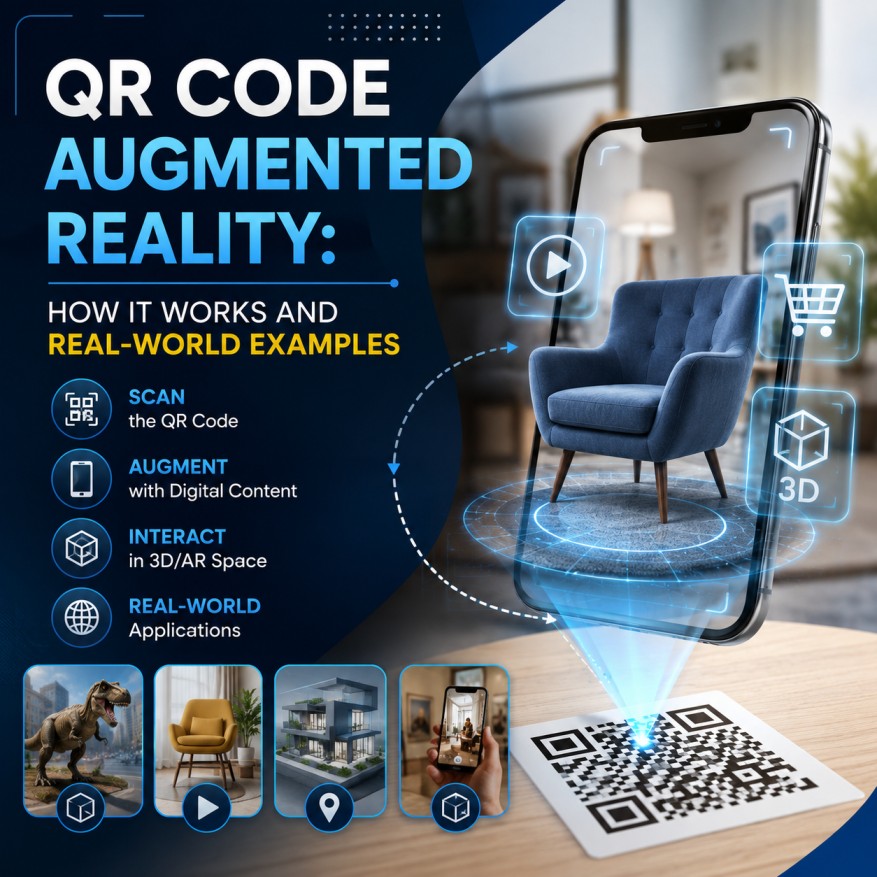
You are in a supermarket looking at a cereal box. You scan the QR code on the package, and your phone instantly shows a fun animated character dancing on the box through your camera. You don’t need to download any app. This is called a QR code augmented reality experience. Today, brands use it on product packaging, in museums, in magazines, and in many other places to create interactive experiences. Here’s how it works and how you can create one too.
What Is a QR Code Augmented Reality Experience?
A QR code augmented reality (AR) code is a standard QR code that, when scanned, opens an augmented reality experience in your phone's camera view instead of a regular webpage. You see 3D models, animations, or interactive overlays placed on top of the real world around you.
The QR code itself looks identical to any other code. The difference is what it triggers. It opens a web-based AR experience that loads directly in the mobile browser — no dedicated app required on most modern smartphones.
How Are AR QR Codes Different from Regular QR Codes?
Aspect | Regular QR Code | AR QR Code |
Destination | Standard webpage | 3D or camera-based AR experience |
Interaction | Read and tap | Look, move phone, and interact |
Content type | Text, images, video on page | Digital elements in the real world |
Tech required | Any smartphone camera | Smartphone with AR support (post-2018) |
User experience | Informational | Immersive and interactive |
The simplest way to think about it: regular QR codes give you information. AR QR codes give you an experience.
Why Businesses Are Adopting QR Code Augmented Reality
Stronger Customer Engagement
AR content holds attention far longer than static media. The Snap Consumer AR Global Report found that AR experiences generate nearly 2x the visual attention compared to non-AR equivalents. Shopify also reported that products featuring 3D content saw a 94% higher conversion rate compared to products with standard images.
Immersive Marketing on Print Surfaces
Traditional print ads are static. An AR QR code on a billboard, magazine ad, or direct mail piece turns that surface into an interactive experience. Grand View Research estimated the global AR market at over $120 billion in 2025, with growing use cases across retail, entertainment, and marketing.
Interactive Product Visualization
One of the biggest barriers in ecommerce is the imagination problem — customers struggle to visualize how a product looks in their actual space. AR solves this. Furniture retailers let shoppers place a couch in their living room, and cosmetics brands let users preview shades on their own face. According to NielsenIQ, 51% of respondents said they would rely on AR to assess products.
No App Required
WebAR has removed the app download barrier. When users scan the QR code with their phone's native camera, the experience opens directly in the browser. Apple's ARKit and Google's ARCore are built into iOS and Android, so most modern smartphones support WebAR out of the box.
Types of AR QR Code Experiences
• Image overlay AR — Adds digital content on top of a specific image (marker). Common on product labels and posters.
• 3D model AR — Places a 3D object in the user's environment. Users can rotate and view it from any angle. Used in furniture, automotive, and electronics.
• Video AR — Plays video within the AR scene, anchored to a label or surface. Great for packaging storytelling and brand campaigns.
• Interactive gamified AR — Turns the experience into a game or interactive journey. Perfect for events, promotions, and experiential marketing.
How to Create Your Own QR Code Augmented Reality Experience
Step 1: Define the AR Experience
Decide what the user should see and do. A 3D product, a short animation, a video overlay? Design for short attention spans — most users spend only a few seconds in AR. Make sure the main visual loads quickly and communicates value right away.
Step 2: Build and Host the AR Content
Use a no-code WebAR platform like ZapWorks, Hololink, or Blippbuilder to create and host your AR experience. Once ready, you'll have a URL to work with.
Step 3: Create a Dynamic QR Code
Go to a QR code generator, select the URL type, and paste your AR experience link. Always use a dynamic QR code — AR experiences change and improve over time, and you don't want to reprint materials for every update.
Step 4: Customize the Design
Adjust colors, add your brand logo, and include a short CTA so users know what to expect. Phrases like 'Scan to view in 3D' or 'Scan to see it in AR' increase scans significantly.
Step 5: Download, Place, and Track
Download in high resolution and place the code where it's clearly visible and easy to scan. Use your QR code platform's analytics to track scans and refine performance over time.
Real-World Applications of QR Code Augmented Reality
Retail and Product Visualization
IKEA's Place app lets customers visualize true-to-scale furniture in their rooms. Amazon's AR View lets shoppers preview products in their space before buying. Sephora's Virtual Artist lets customers try on makeup shades virtually. An AR QR code brings this same experience to any retailer without a dedicated app.
Marketing and Print Media
Burger King's 'Burn That Ad' campaign let users scan a competitor's ad and watch it burn away in AR, revealing a coupon underneath. Pepsi pushed AR into out-of-home advertising with a viral bus shelter campaign. An AR QR code on any print asset can deliver that same interactivity.
Education and Training
Pearson Education has explored AR overlays in learning materials where textbook diagrams become 3D models students can rotate. Boeing has used AR to guide technicians through complex assembly tasks. An AR QR code next to any printed diagram or training card can make technical content dramatically easier to absorb.
Real Estate and Hospitality
AR QR codes on yard signs let buyers scan and view an immersive model of a home's interior. In hotels, codes in lobbies unlock 3D property maps and AR-guided tours. Guests can even preview room service dishes in 3D before ordering.
Events and Entertainment
An AR QR code on a ticket, lanyard, or in-venue signage lets fans unlock exclusive content — player stats, behind-the-scenes footage, or AR photo moments. These experiences extend well beyond the event itself.
Best Practices for QR Code AR Campaigns
• Always use dynamic QR codes — AR content evolves and you need flexibility to update.
• Minimum code size: 2 cm x 2 cm for scanning at arm's length; scale up for larger distances.
• Set clear expectations with a CTA like 'Scan to view in AR' — ambiguous codes get ignored.
• Test on both iOS and Android before printing or publishing.
• Host your AR experience on HTTPS — always use a secure connection.
• Track performance: high scans with low engagement usually means the AR experience needs improvement, not the QR code.
Common Mistakes to Avoid
• Using a static QR code — if you update the AR experience, you'd have to reprint everything.
• Building a complex AR scene that takes too long to load — users abandon after a few seconds.
• No clear CTA — a code without context gets ignored, no matter how good the experience.
• Testing only on your own device — behavior varies across models, OS versions, and browsers.
Conclusion
QR code augmented reality is no longer a novelty — it's a practical marketing and engagement tool available to brands of any size. It works without app downloads, integrates with any printed or digital surface, and delivers the immersive, interactive experience today's audiences expect. The workflow is simpler than it looks: build the AR experience, create a dynamic QR code, add a clear CTA, and track performance.
Ready to bring your print materials to life? Create your first AR QR code today and turn a simple scan into an experience worth remembering.