The first time I saw a QR code fail at scale, it was on a metro pillar hoarding. Big brand, expensive spot, code roughly the size of a postcard sitting fifteen feet above the ground.
Nobody could scan it. Not because it was printed badly — it was printed beautifully. It was just too small for the distance people were standing at.
Size is the quiet reason most printed QR codes underperform. Colours get discussed, logos get argued over, and then someone shrinks the code to fit the layout and the whole thing stops working.
So let’s fix that with actual numbers.
How big should a printed QR code be?
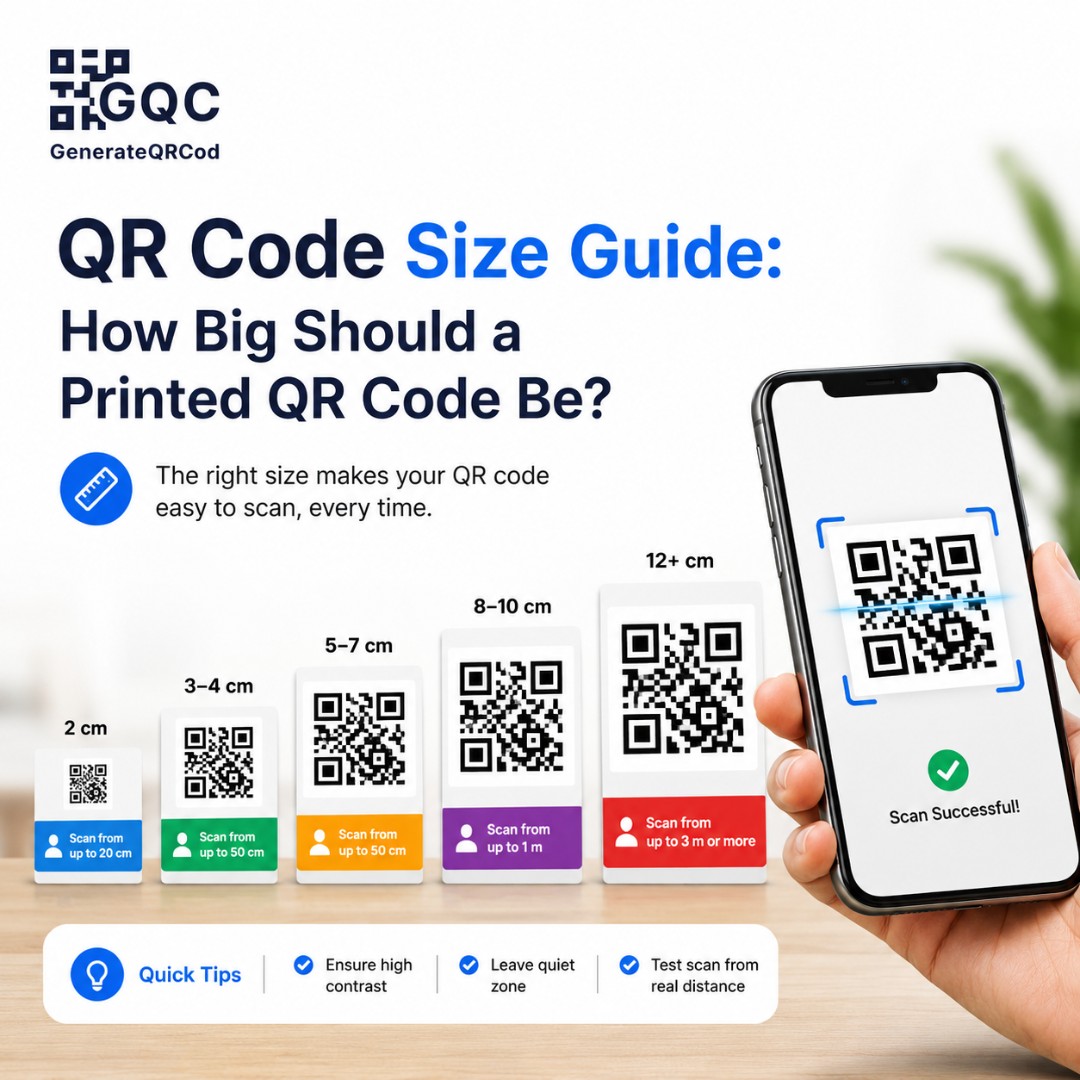
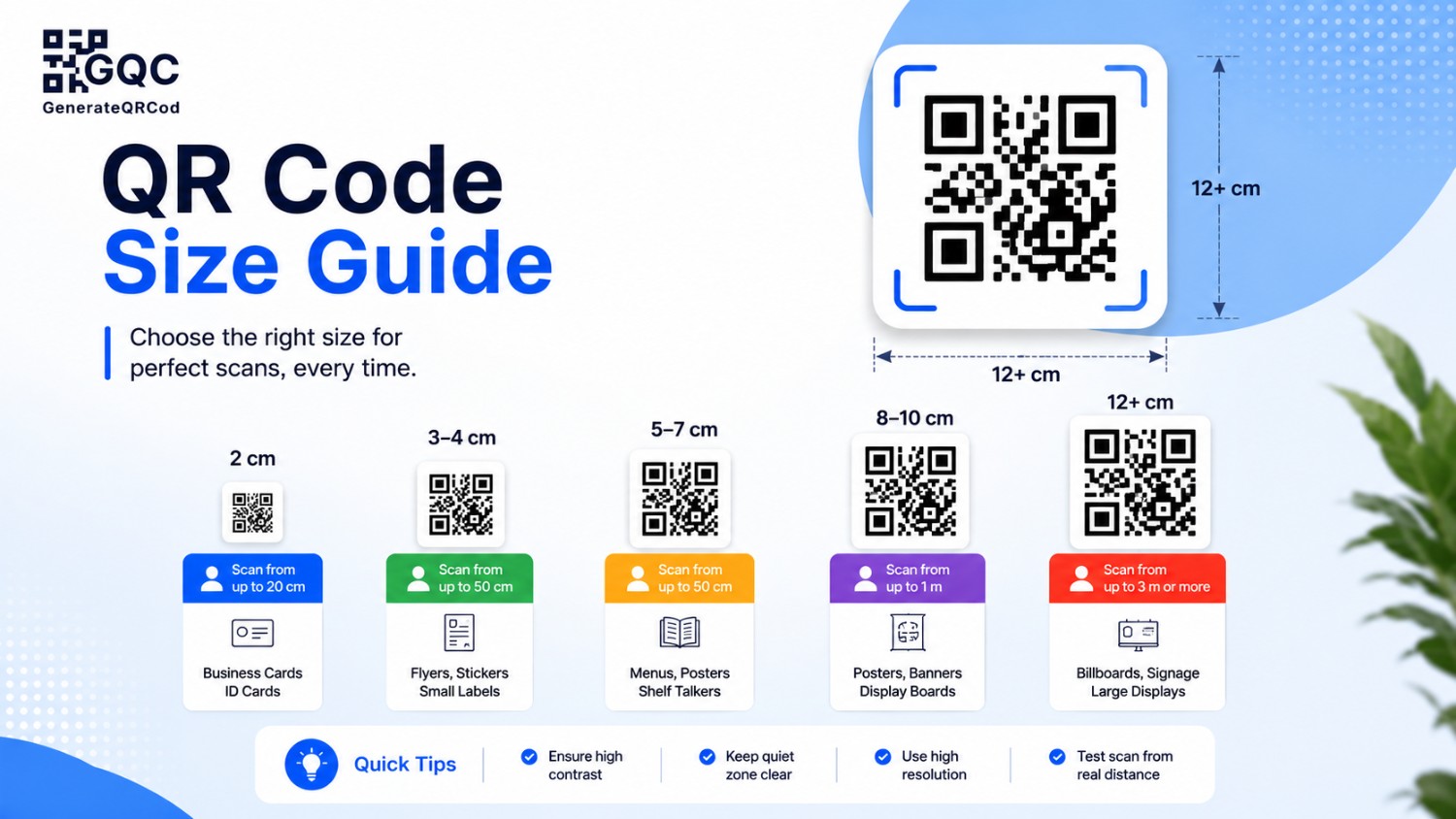
A printed QR code should be at least 2 x 2 cm for close-range scanning like business cards and menus. For anything scanned from a distance, use the 10:1 rule — the code’s width should be roughly one-tenth of the scanning distance. A code scanned from 2 metres needs to be about 20 cm wide.
That’s the rule in one line. Now here’s how it plays out in real print jobs.
The 10:1 rule, explained properly
Divide your scanning distance by 10. That’s your minimum code width.
Someone standing 50 cm away from a menu needs a 5 cm code. Someone standing 3 metres from a shop window needs a 30 cm code. A driver reading a hoarding from 20 metres away needs a 2-metre code — which is exactly why QR codes on highway boards almost never work, and why most brands have quietly stopped putting them there.
The mistake in that metro hoarding was simple arithmetic nobody did. Fifteen feet is about 4.5 metres. The code needed to be 45 cm wide. It was 12.
Round up, always. The 10:1 ratio is a floor, not a target.
Printed QR code size chart
Where it is used | Typical scan distance | Recommended code size |
Visiting card / label | 15–20 cm | 2 x 2 cm (minimum) |
Restaurant table menu | 30–40 cm | 3 x 3 cm |
Product packaging | 20–30 cm | 2.5 x 2.5 cm |
Leaflet / brochure | 25–35 cm | 3 x 3 cm |
Poster on a wall | 1–1.5 m | 12–15 cm |
Shop window / glass door | 1.5–2 m | 20 cm |
Exhibition standee | 1.5–2.5 m | 20–25 cm |
Retail signage / pillar | 3–4 m | 30–40 cm |
Large hoarding | 8 m and above | 80 cm or skip it |
These are minimums for a clean, well-printed code. If the surface is glossy, curved, or lit badly, go one size up.
Why 2 cm is the floor
Below roughly 2 x 2 cm, the individual squares inside the code — called modules — get too small for a phone camera to separate cleanly.
Each module should print at around 0.4 mm or larger. A code with a long URL has more modules packed into the same square, so each one gets smaller. Which brings us to something most people never think about.
Your URL length changes the size you need
A short link like yoursite.com/menu creates a simple code with few modules and big, chunky squares. Easy to scan even when printed small.
A long link with tracking parameters — the kind that runs 120 characters with UTM tags attached — creates a dense code with many tiny modules. Same physical size on paper, far harder to read.
So before you shrink anything, shorten the link. It’s the cheapest scannability fix available, and it costs nothing.
Same logic applies to error correction. Setting level H adds redundancy, which is essential when you’re placing a logo in the middle, but it also increases module density. Logo plus long URL plus small print size is the combination that fails most often.
The quiet zone nobody leaves space for
Every QR code needs empty margin around it. This blank border is called the quiet zone, and the standard is four modules wide on all four sides.
In practice, leave white space equal to about four of those small squares — roughly 10% of the code’s width.
Designers hate this. It’s dead space in a tight layout, so the code gets pushed against a photo edge, a coloured block, or the trim line of the page. And then the scan failures start showing up as “random”, when they’re not random at all.
Keep the quiet zone plain white or a single light colour. No patterns behind it, no text creeping in.
Print material matters more than you’d expect
Matte paper is the most forgiving. Ink sits flat, edges stay sharp.
Glossy surfaces reflect light straight back into the camera, so a code that scans fine on screen can fail under a shop’s ceiling lights. If you’re printing on gloss, size up and test under the actual lighting where it will be displayed.
Curved surfaces — bottles, cans, jars, tubes — distort the pattern. A code wrapping around a curve should be kept small enough that it stays on the flattest part of the surface, and never stretched across the curve.
Fabric, like a canvas standee or a table runner, absorbs ink and softens edges. Add 20% to whatever size the chart suggests.
And this is where the file format decides everything. Print your code from an SVG, not a PNG. SVG is vector, so it scales from a card to a 2-metre banner with perfectly crisp edges. A PNG stretched beyond its resolution gets fuzzy squares, and fuzzy squares are unreadable squares.
Test the printed proof, not the screen
Screen tests pass almost every time. That’s the trap.
Print a single sample at the exact final size, on the exact final material. Then stand at the distance a real customer would stand at and scan it — with an Android phone and an iPhone, since their cameras handle codes slightly differently.
Do it under normal lighting, not office tube lights at arm’s length.
If it takes more than two seconds to lock on, your code is too small. Go bigger and test again. It’s a five-minute check that prevents a reprint bill.
Get a print-ready QR code in seconds
Sizing only works if the file behind it is built for print. Generate your code with our free qr code generator and download it as SVG — vector, watermark-free, and sharp at any size from a visiting card to a hoarding. PNG is there too for screens and social posts. No sign-up needed.
Then print one sample, stand where your customer will stand, and scan it. Every time.
That metro hoarding ran for a full month before anyone noticed.