A bakery near my office sells around 300 coffees a day. Three hundred people, standing at the counter, phone already in hand. And until last year, not one of them was being asked to follow the shop on Instagram.
The owner had a page. Decent photos, 400 followers, posted twice a week. The problem was never the content. The problem was that the people who already liked the place — the ones actually paying money at the counter — had no easy way to find it.
Then she printed a small card with an Instagram QR code and stuck it on the card machine. Followers went past 2,000 in four months.
That gap is what this guide is about. You already have foot traffic. A social media QR code is just the bridge between the person standing in front of you and the profile you keep posting to.
What is an Instagram QR code?
An Instagram QR code is a scannable square that opens your Instagram profile directly in the app when someone points their phone camera at it. Instead of typing your username into search, the customer scans once and lands on your page, ready to tap Follow. It works on any printed or on-screen surface.
There are two ways to get one, and they are not the same thing. Instagram gives you a built-in code inside the app. You can also make your own using a free QR code generator with your profile URL. Most businesses are better off with the second option, and here is why.
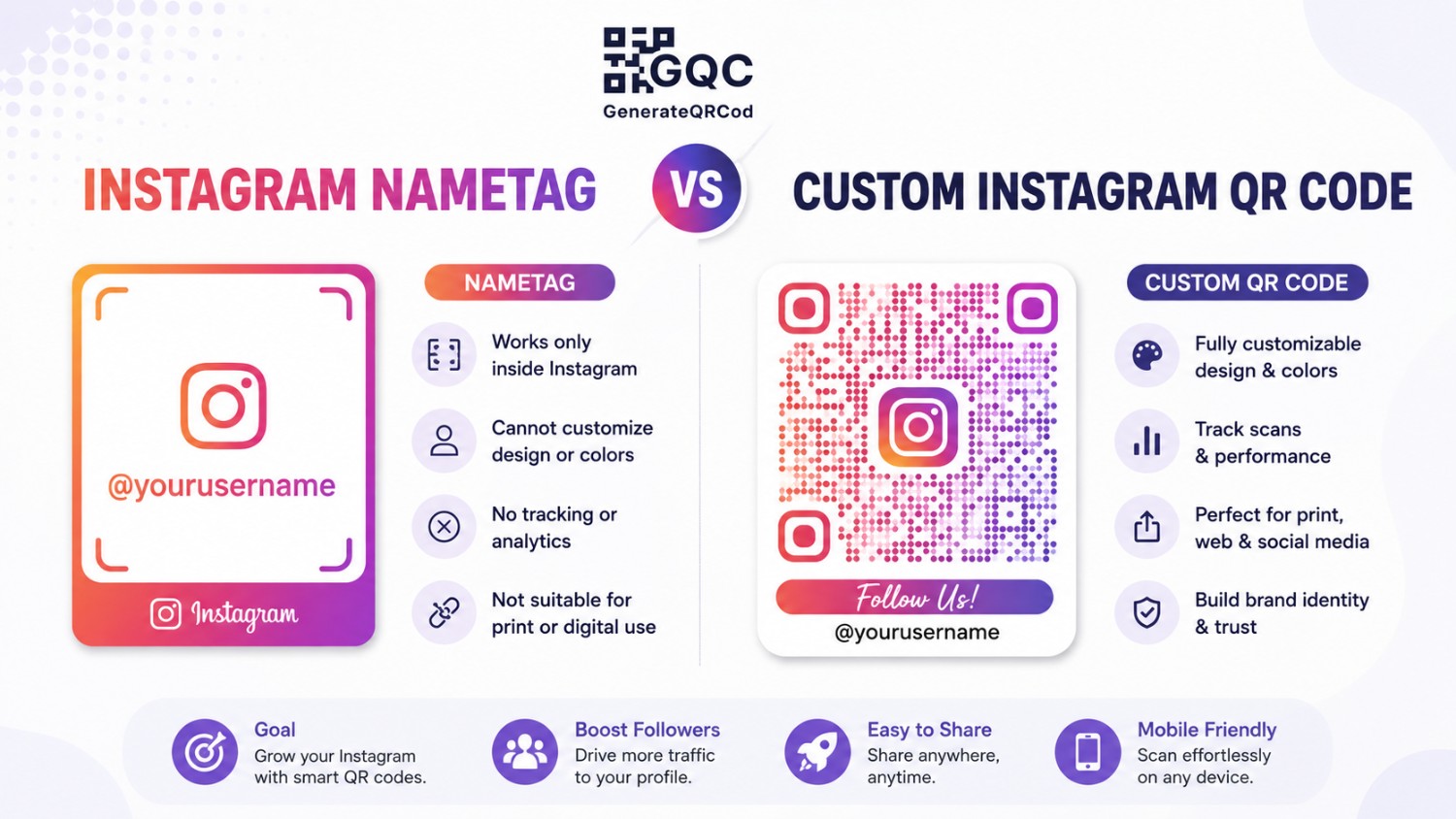
Instagram Nametag vs custom Instagram QR code
What you're comparing | Instagram's in-app code | Custom QR code (generator) |
|---|---|---|
Where it opens | Inside Instagram app only | Instagram app, or browser if app is missing |
Branding | Fixed Instagram styling | Your logo, your brand colours |
Print quality | Screenshot only, gets blurry | SVG file, sharp at any size |
Works for other platforms | No | Yes — same tool for all profiles |
Cost | Free | Free |
Best for | Quick phone-to-phone sharing | Posters, packaging, signage, cards |
Short version: use the in-app nametag when someone is standing next to you with their phone out. Use a custom code for anything that gets printed, because a screenshot enlarged to poster size looks terrible and often fails to scan.
How to create an Instagram QR code free (60 seconds)
You do not need an app, an account, or a subscription for this. Your profile link is a normal URL, which means any URL QR code works.
Step 1 — Copy your profile link
Your Instagram URL follows a fixed pattern: https://www.instagram.com/yourusername. Type it exactly, all lowercase, no spaces. If you have a business page on Facebook or a LinkedIn company profile, grab those links too — you will need them in a minute.
Step 2 — Paste it into the generator
Open the free QR code generator, choose the URL type, and paste your profile link. The preview updates as you type, so you can check it before downloading anything. No sign-up, no watermark.
Step 3 — Add your logo and colours
Drop your logo in the centre and set your brand colour as the foreground. Keep the background light. A branded code gets noticeably more scans than a plain black one, mostly because people can tell at a glance whose code it is.
Step 4 — Download PNG or SVG
PNG for Instagram Stories, WhatsApp, email signatures and your website. SVG for anything a printer touches — flyers, standees, packaging, menu cards. SVG scales without losing edges, which matters more than people expect.
Step 5 — Test it before you print 500 copies
Scan it yourself with an iPhone and an Android. Then hand it to someone else and watch them scan it. If they hesitate, your code is too small or the contrast is too weak.
QR codes for other social media platforms
The same method works everywhere. Only the link format changes. Here is what to paste in for each platform:
Platform | Link format to paste | Best offline placement |
|---|---|---|
instagram.com/username | Counter card, packaging, table tent | |
Facebook Page | facebook.com/pagename | Shop window, local flyers |
YouTube | youtube.com/@channelname | Product manuals, workshop banners |
linkedin.com/in/name | Business card, conference badge | |
WhatsApp Business | wa.me/91XXXXXXXXXX | Reception desk, delivery slip |
Google Business Profile | Your review short link | Bill folder, exit door |
For WhatsApp specifically there are a few extra tricks — pre-filled messages, click-to-chat links — and we covered those in detail in our guide on how to create a WhatsApp QR code. Worth reading if customer chat is part of how you sell.
One QR code for all your social profiles
Printing six separate codes on one poster is a bad idea. People freeze when given too many options, and six tiny codes means six codes that are all too small to scan.
Better approach: build one simple landing page that lists all your profiles, then generate a single QR code pointing at that page.
Use a link-in-bio page, a page on your own site, or even a plain HTML page with six buttons
Put the profile you care about most at the top — usually Instagram for retail, LinkedIn for B2B
One code, one message: "Follow us" beats "Scan for Instagram, Facebook, YouTube, LinkedIn"
Your own domain also means you can change the destinations later without reprinting anything
That last point is really an argument for dynamic codes. If you want to understand the difference properly before printing at scale, read static vs dynamic QR code — it explains which one you actually need.
Where to place a social media QR code offline
Placement decides everything. A brilliant code in the wrong spot gets zero scans, and a plain code in the right spot gets hundreds. The rule is simple — put it where people are already waiting with nothing to do.
Business type | Highest-scanning placement | Why it works |
|---|---|---|
Cafe / restaurant | Table tent and bill folder | Guests wait between order and food |
Retail store | Beside the card machine | Phone is already out at payment |
Salon / clinic | Mirror station and waiting area | Long idle time, captive attention |
Ecommerce brand | Insert card inside the parcel | Unboxing moment, high excitement |
Events / stalls | Standee at eye level | Scannable from a distance |
Freelancer | Back of the business card | Replaces "search my name" friction |
One thing that gets ignored constantly: add a reason to scan. "Follow us on Instagram" is weak. "Scan for this week's off-menu specials" or "Scan to see this sofa in 6 other fabrics" gives people something to gain. Scan rates roughly double when there is an offer attached.
Design rules that keep your scan rate high
Contrast matters more than colour: dark code on light background. Light code on dark background often fails to scan.
Never invert: white squares on a black background breaks many older scanners.
Keep the quiet zone: leave clear white space equal to four modules around the code. No text touching the edges.
Logo stays small: cover no more than 20% of the centre, and use high error correction when you add one.
Mind the print size: a table tent code should be at least 2 x 2 cm; a standee needs much more.
Sizing is where most print jobs go wrong, and the distance rule is not obvious. Our QR code size guide for printing gives you the exact 10:1 formula so you are not guessing at the printer's counter.
Mistakes that quietly kill social media QR codes
I have seen every one of these in the wild, usually on expensive printed material that nobody wants to reprint.
Placing the code below knee level on a standee, where nobody can aim a camera
Printing it on a glossy laminated surface that reflects light straight back into the lens
Using a shortened link from a free service that later expires and dies
Forgetting to check whether the URL has a typo — one wrong character and it opens nothing
Putting a code on a moving vehicle or a video ad that plays for three seconds
Never testing on Android, because the team all uses iPhones
And one more, which is less about design and more about trust: unbranded codes in public spaces make people nervous now, and fairly so. Sticker-over-sticker scams are real.
If you want to understand what customers are worried about — and how to make your own code look legitimate — read are QR codes safe and how quishing scams work.
How to know if your Instagram QR code is working
Do not judge it by follower count alone. Followers lag behind scans by days or weeks.
Track profile visits in Instagram Insights, week over week, from the day you install the code
Compare weekday and weekend patterns — offline scans spike on your busiest footfall days
Give each location its own destination link so you can tell which store or stall performs
Ask staff. Honestly, this works. "Did anyone scan the card today?" tells you more than a dashboard in week one
If scans stay near zero after two weeks, the code is not the issue. The placement is.
Start with one code, one placement
You do not need a strategy document for this. Pick your busiest touchpoint — the counter, the parcel, the bill folder — and put one Instagram QR code there this week. Watch what happens for fourteen days. Then add the second placement.
Make your free social media QR code now at GenerateQRCod — add your logo, pick your brand colours, download PNG or SVG. No sign-up, no limits, always free. New to QR codes in general? Start with our overview of the 10 types of QR codes and their uses.